NACH Batch Reconciliation Pattern for India (NPCI Returns, Mandate Bounces, Lending)
Match NACH mandates and bulk payroll credits against individual account records
What this pattern solves
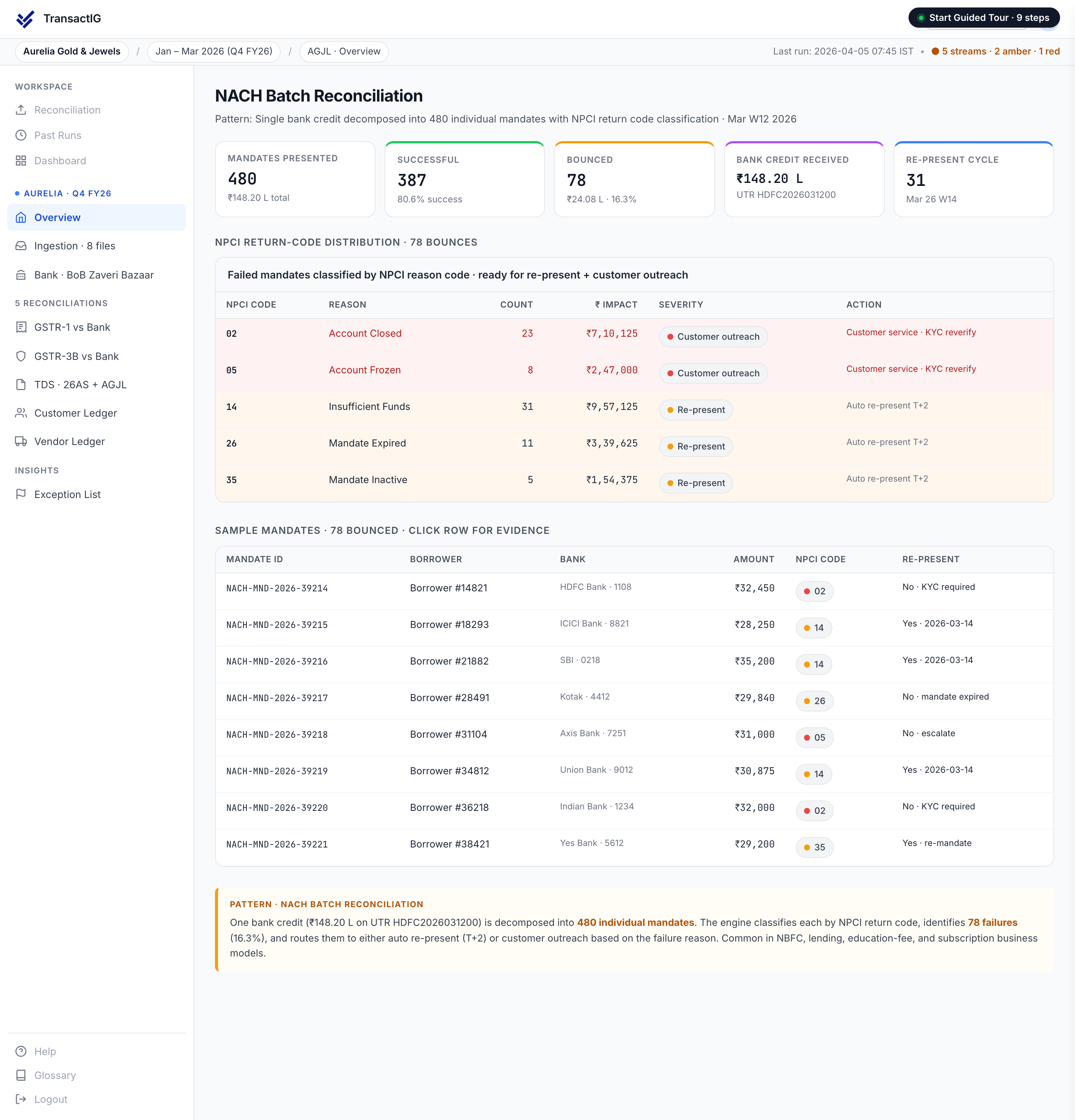
NACH (National Automated Clearing House) batches arrive as a single bank credit representing hundreds or thousands of individual mandates — EMI collections, salary disbursements, or subscription payments. The NACH batch reconciliation pattern disaggregates the bulk credit into its constituent transactions, matches each against the corresponding account record, and handles bounces, partial collections, and mandate amendments as named exception types.
Use this pattern when:
- You collect EMIs via NACH mandates (NBFC, MFI, co-operative bank)
- You disburse payroll via NACH batch (HR, payroll processing)
- You manage subscription billing via NACH (insurance, SaaS)
- You need to reconcile NPCI return files against bounce records
- Batch bank credits must be mapped to individual loan or employee accounts
How it works in TransactIG
Ingest mandate file and bank credit
TransactIG ingests the NACH mandate file (NPCI format) and the corresponding bank statement entry. The mandate file lists individual accounts, amounts, and mandate reference numbers.
Disaggregate batch credit
The sum of all mandate amounts is matched against the batch bank credit. Individual mandates are reconciled account by account against the mandate file.
Process NPCI return file
Bounced mandates are identified from the NPCI return file, matched against the original mandate records, and classified by return reason code (insufficient funds, account closed, mandate cancelled, etc.).
Write back to LMS or payroll system
Matched status is written back to the loan management or payroll system — clearing individual accounts and flagging exceptions for follow-up.
Matching rules
Variance taxonomy
Frequently asked questions
Does TransactIG support both NACH debit (collection) and NACH credit (disbursement)?
Yes. The NACH batch pattern handles both debit mandates (EMI collection) and credit mandates (salary/subsidy disbursement) with appropriate matching logic for each direction.
How are bounced mandates tracked for retry?
Bounced mandates are classified by NPCI return code, tagged with the bounce date, and tracked for retry eligibility based on your configured retry policy (e.g. retry after 2 days for insufficient funds).
Can TransactIG write back matched NACH status to a loan management system?
Yes. TransactIG produces a structured writeback file (CSV or API) that updates individual loan accounts in LMS platforms with cleared, bounced, or pending status — eliminating manual entry into the loan system.
See the NACH Batch pattern in action
Terra Insight will run a live TransactIG demo using this matching pattern on data from your industry vertical.